

Table of Contents
Don’t Panic, just use the tools below. #
Troubleshooting Server Issues #
- Test to see if only one computer is having issues.
- If it is only one, restart that PC.
- If there are multiple computers (or all) having issues, you’ll need to reset the connection to the database.
- Reset the connection.
BEFORE RESETTING – Make sure network cables are connected. (Shown in video on top of the battery backup.)
-
- RESET: Push the button on the switch to give keyboard, mouse, and monitor control to the server. (Blue light on the button means server has control.)
- Right click the file in the middle of the desktop labeled. “Reset SQL Database”
- Click “Run as Administrator”
- When prompted, answer “Yes.”
- Connection is reset!
- Push the button to change control back to the Consult Room PC (No light on the button means CR PC has control.)
Google Login Issues #
UN: JerodHill@gmail.com
PW: Saved on computers.
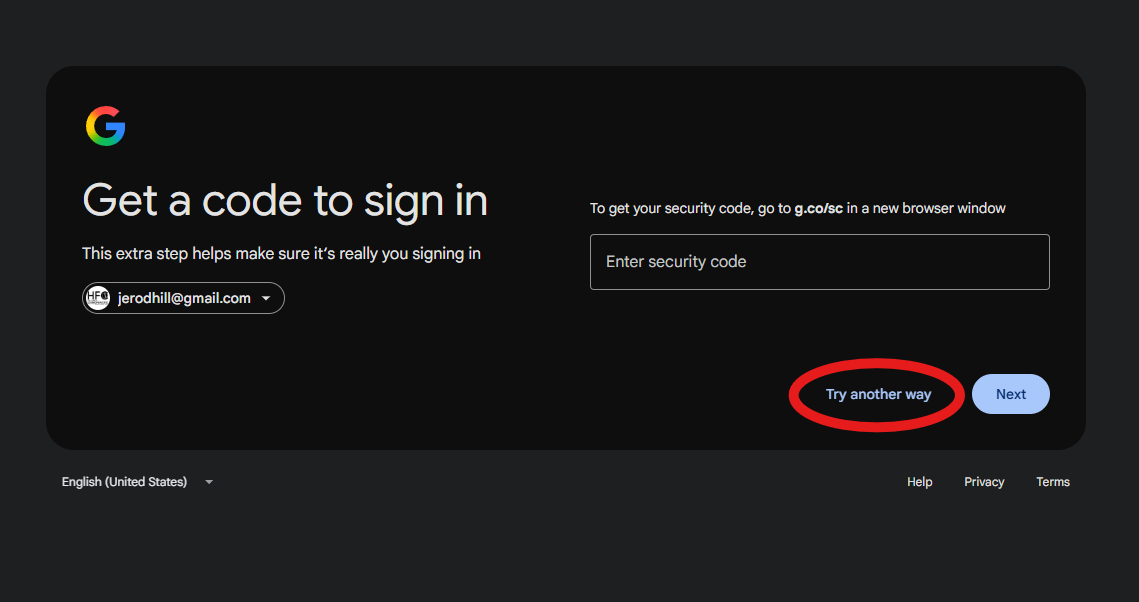
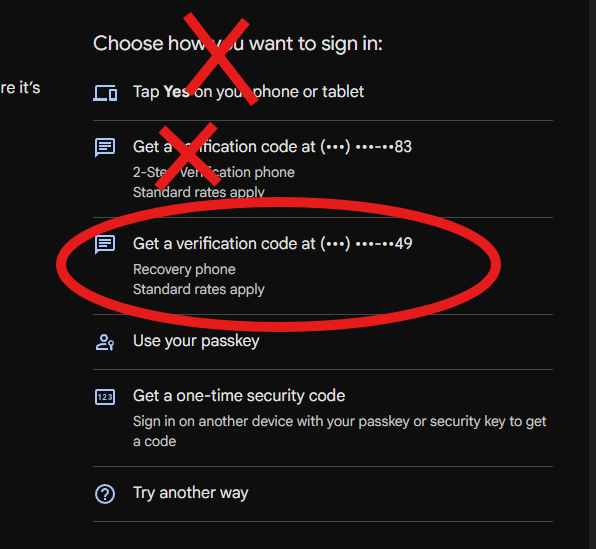
Google makes you use two factor authentication to log in to Gmail, google sheets, or docs. This typically sends a prompt to my phone, instead you’ll want to click “Try another way.” Then choose a code being sent either to the office phone (ending in 78) or Dr Hill’s phone (ending in 49).
Care Plan Calculator Broken? #
Three Emergency Versions (Use only in case of break in regular calculator.)
EMERGENCY BACKUP CARE PLAN CALCULATOR ONE


